

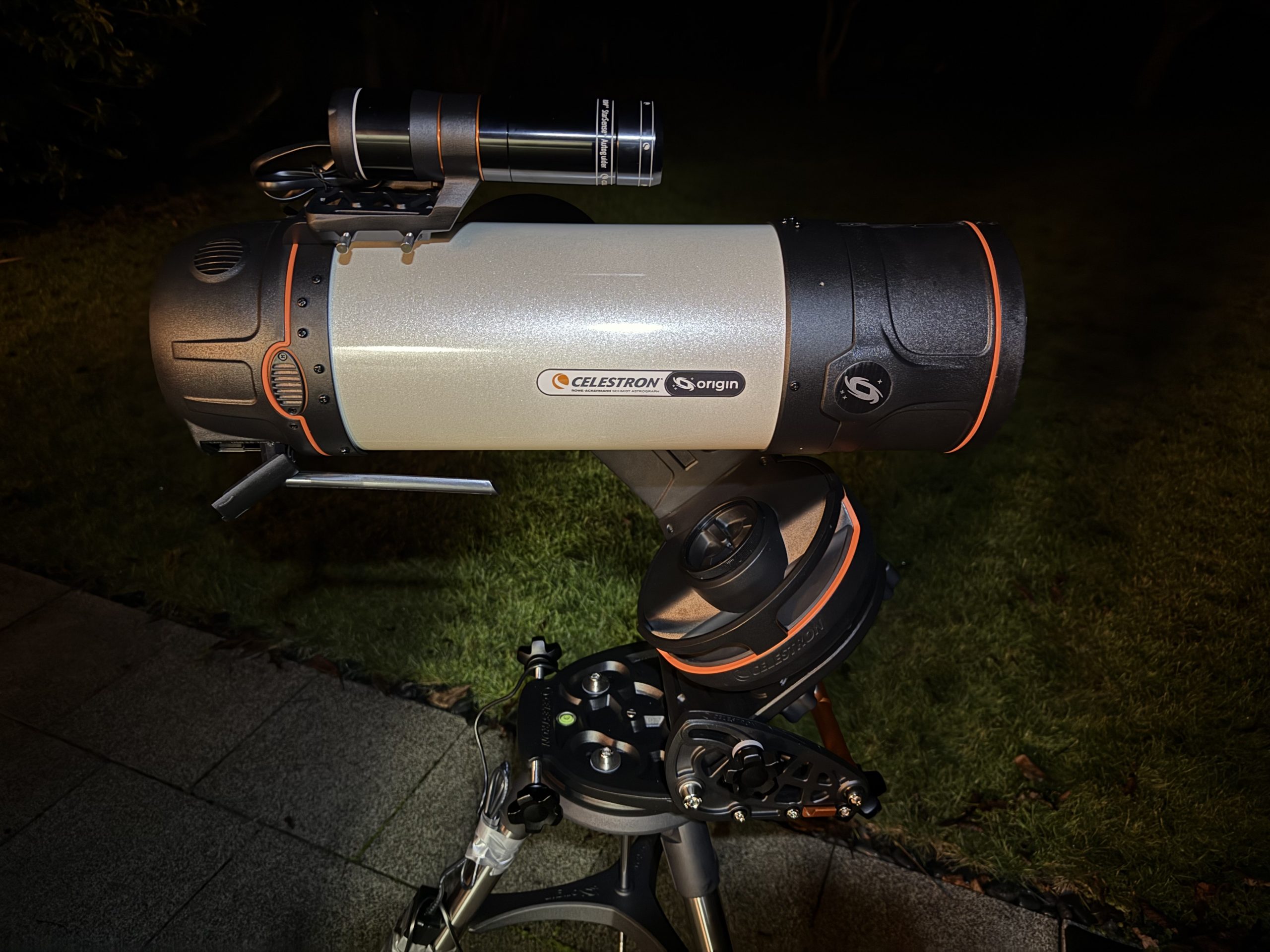
A stable Wi-Fi connection is essential for the Celestron Origin smart telescope, as all alignment, slewing, live view, and image downloads are controlled wirelessly via the Celestron SkyPortal app. Many users quickly notice that the Celestron Origin WiFi connection can be slow or unstable, especially when operating the telescope from a garden or backyard while connected through a home router.
In this article, I share a simple, focused WiFi test with the Celestron Origin, comparing three setups:
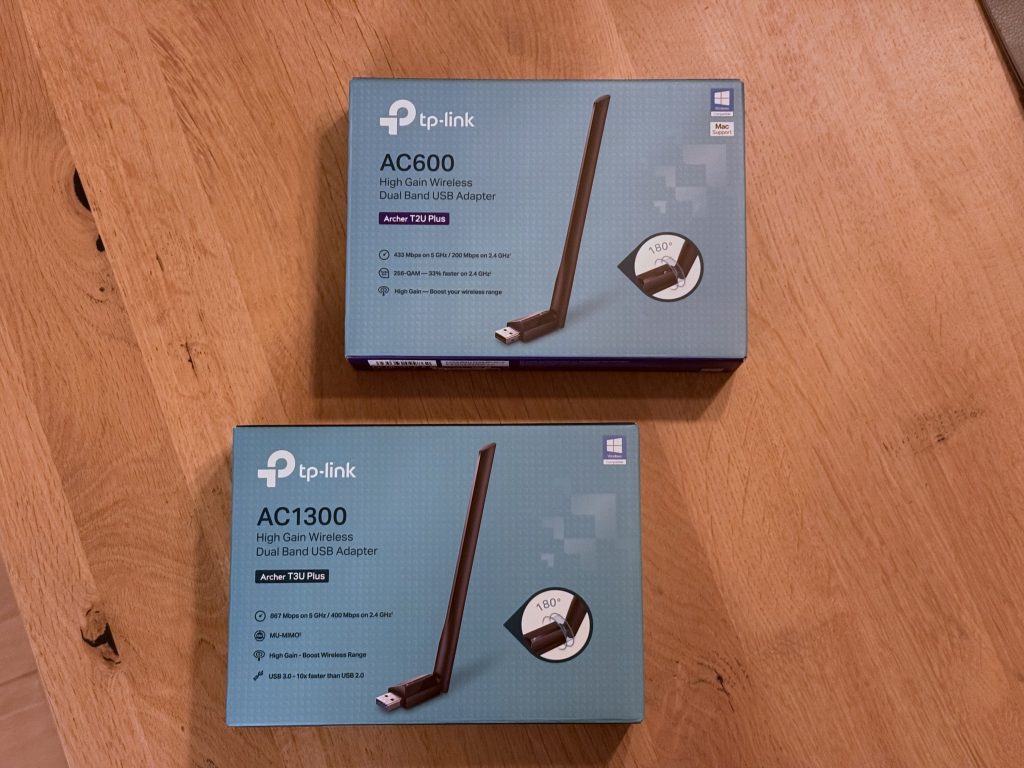
running the Origin without an external WiFi antenna, using the TP-Link Archer T2U Plus AC600 (the adapter officially listed in the Celestron Origin manual), and testing the TP-Link Archer T3U Plus AC1300, which offers higher specifications on paper.
The goal was straightforward:
👉 Can a higher-spec USB WiFi adapter outperform the officially recommended AC600 — or does the Celestron Origin only work reliably with the adapter listed in the manual?
🔌 How WiFi Works on the Celestron Origin
Out of the box, the Celestron Origin creates its own WiFi hotspot, which you connect to directly with your phone or tablet using the SkyPortal app.
Additionally, the Origin can be configured to connect to an existing WLAN / home router. This is particularly useful when using the telescope at home — for example, when the Origin is placed in the garden and controlled from inside the house.
In my case, the WiFi signal has to pass through thick stone walls, which is common in many European homes. Depending on the telescope’s orientation and position, the app regularly displays the warning:
“Slow connection speed”
When this occurs, slewing becomes sluggish, image downloads slow down, and overall responsiveness suffers.
🧪 Test Setup
- Celestron Origin without external WiFi antenna
- Celestron Origin + TP-Link Archer T2U Plus AC600
- Celestron Origin + TP-Link Archer T3U Plus AC1300
Each adapter was connected before powering on the telescope, as required by Celestron.
❌ No External WiFi Antenna: Limited Performance
With no external antenna connected:
- WiFi quality depends heavily on telescope orientation
- Signal strength drops quickly through walls
- Frequent “slow connection speed” warnings appear
Measured download speed in the Origin status screen:
- ~1.60 MB/s
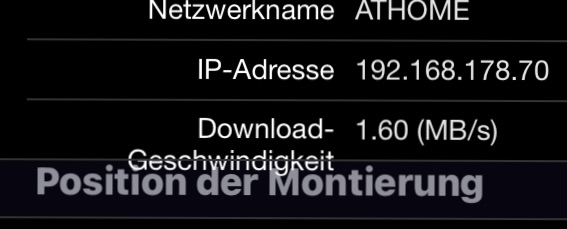
This is usable, but clearly a bottleneck for image transfers and smooth operation.
✅ TP-Link Archer T2U Plus AC600: Noticeable Improvement
The TP-Link Archer T2U Plus AC600 is explicitly listed in the official Celestron Origin manual, and the results clearly show why.
Key specs – TP-Link Archer T2U Plus AC600
- Dual-band WiFi (2.4 GHz & 5 GHz)
- Up to 600 Mbps theoretical bandwidth
- High-gain external antenna
- USB 2.0 (fully compatible with Origin)
Result
With the AC600 connected:
- ~4.95 MB/s download speed or better depending on Origin placement
- No repeated slow-connection warnings
- Fast FTP downloads
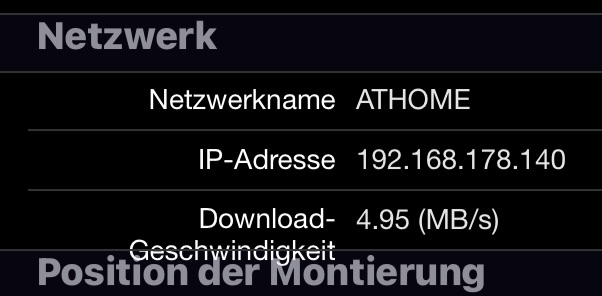
That’s more than three times faster than using the Origin without an external antenna.
❓ TP-Link Archer T3U Plus AC1300: Higher Specs, No Gain
The TP-Link Archer T3U Plus AC1300 looks like a clear upgrade on paper.
Key specs – TP-Link Archer T3U Plus AC1300
- Dual-band WiFi
- Up to 1300 Mbps theoretical bandwidth
- MU-MIMO support
- USB 3.0 interface
However, during the test:
- No measurable speed improvement
- Download speed similar to no external antenna
- Slow-connection warnings still appeared
This strongly suggests that the Celestron Origin does not properly recognize or support the AC1300 chipset, despite its higher specifications.
🔧 Important: Correct Antenna Mounting
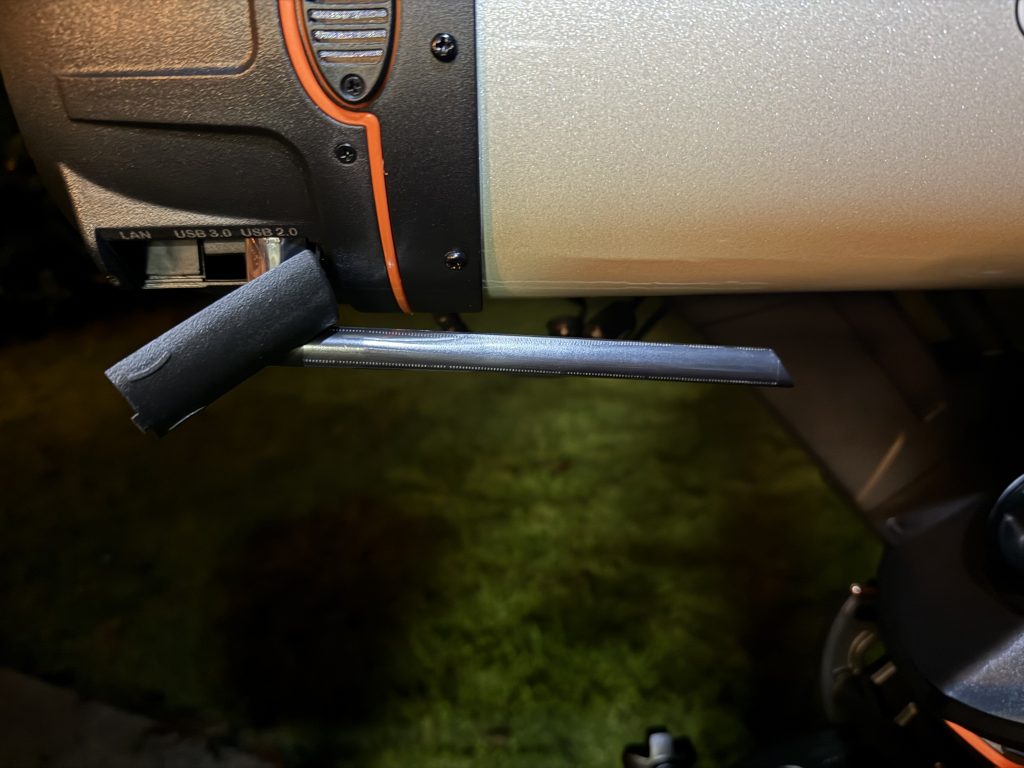
One practical detail that should not be overlooked:
- Mount the WiFi adapter exactly as shown in the photos
- Keep the antenna horizontal and clear of the mount
- Incorrect mounting can cause collisions during slewing
This is essential for both safety and reliability.
🏁 Final Verdict: Best WiFi Adapter for Celestron Origin
This simple test confirms the official recommendation.
⭐ Best Choice:
TP-Link Archer T2U Plus AC600
- ✅ Officially supported by Celestron
- ✅ Massive real-world speed improvement
- ✅ Reliable connection even through thick walls
- ❌ Higher-spec adapters like AC1300 offer no benefit
If you want to fix slow WiFi on your Celestron Origin, don’t chase higher specs —
use the AC600. It works, it’s supported, and it significantly improves the overall experience.
Link to Amazon for the TP-Link Archer T2U Plus AC600: https://amzn.eu/d/aPIkYiJ




Leave a Reply
You must be logged in to post a comment.